
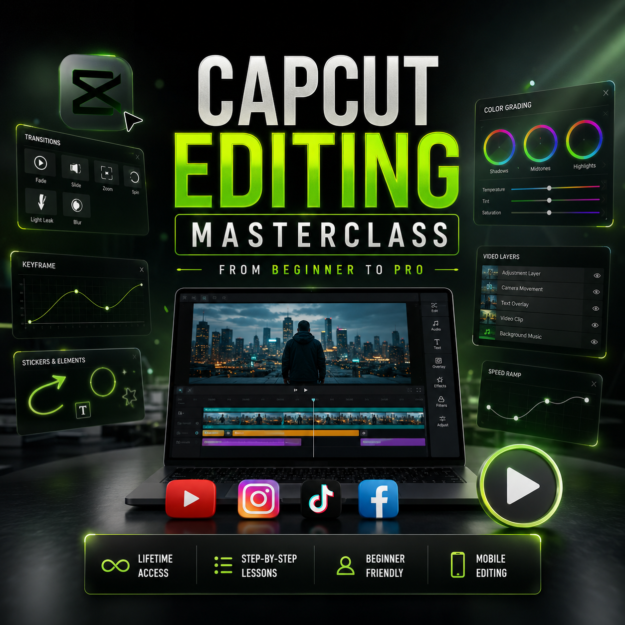
Become a Professional CapCut Editor — Even if You Have Never Edited a Video Before.
This complete CapCut Editing Masterclass is designed to help beginners learn video editing from scratch and gradually reach an advanced level.
Inside this course you’ll learn:
✔ CapCut Interface Explained
✔ Basic Editing
✔ Professional Cuts
✔ Trimming & Splitting
✔ Speed Ramping
✔ Smooth Transitions
✔ Keyframe Animation
✔ Text Animation
✔ Motion Effects
✔ Color Correction
✔ Color Grading
✔ Audio Editing
✔ Sound Effects
✔ Green Screen Editing
✔ Masking
✔ Overlay Techniques
✔ Trending Reel Editing
✔ Cinematic Editing
✔ Export Settings
✔ High Quality Video Export
✔ Pro Editing Workflow
Whether you want to create YouTube videos, Instagram Reels, Shorts, TikTok videos, client work, or simply improve your editing skills, this course provides a complete learning path.
Suitable For:
• Complete Beginners
• Content Creators
• Students
• Freelancers
• YouTubers
• Instagram Creators
• Social Media Managers
• Small Business Owners
Start learning today and build professional editing skills with CapCut.
✅ Complete CapCut Interface
✅ Professional Editing Workflow
✅ Smooth Transitions
✅ Cinematic Editing
✅ Speed Ramping
✅ Motion Graphics Basics
✅ Keyframe Animation
✅ Color Grading
✅ Audio Editing
✅ Export in Best Quality
📦 CapCut Editing Masterclass
🎥 HD Video Lessons
📱 Mobile Friendly
💻 Lifetime Access
♾ Future Updates (if available)
📂 Organized Course Structure